Bring the process into one view
Keep the relevant record, status and supporting information together.
Replace a scattered operational routine with a focused tool for requests, records and actions. Give each person a clear view of their responsibilities and the next step.
Discuss your projectA 15-minute conversation about your workflow, your tools and where to start.Explore the workflow
Keep the relevant record, status and supporting information together.
Show which person or role is responsible for the next action.
Build the agreed screens and rules around one operational journey.
8 hours
Microsoft’s All Pro case reports a full workday saved each week for one employee handling expenses, using an internal portal and connected approval workflow.
This saving concerns one employee’s expense process. It is not a per-user or company-wide productivity estimate.
Microsoft · All Pro Electrical19 June 2024 · Accessed 2026-09-24A finding from another organization. This is not a Betterlane result or a guarantee for your project.A fictional example to make the workflow tangible. The interface illustrates the process; it is not a live demonstration.
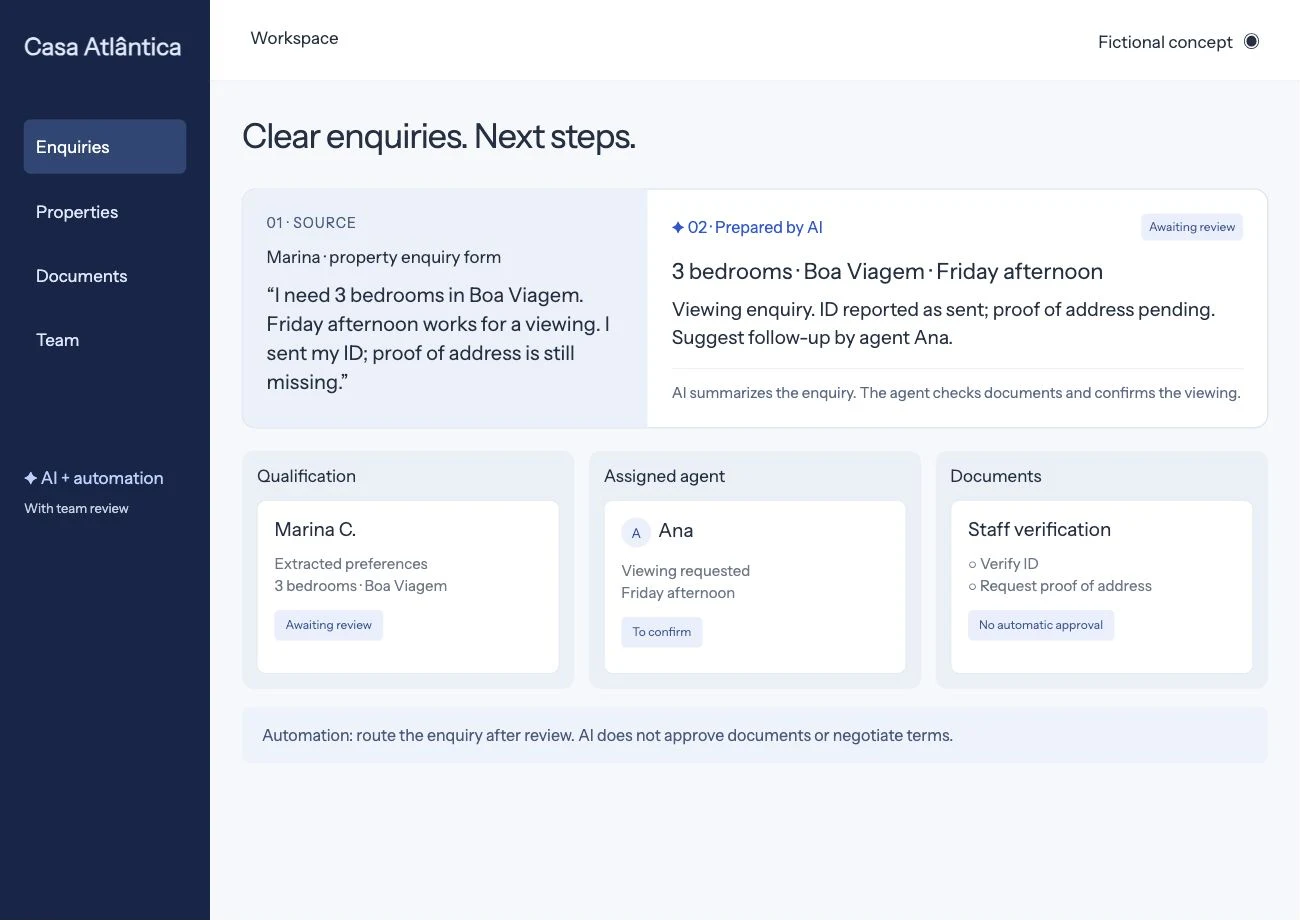
A fictional property enquiry includes visit preferences and documents.
The responsible person checks the information and records outstanding items.
The record is updated with a reviewed decision and its status.
Our Workspace Automation work organizes structured inputs, preparation and review inside our own product. We use that experience to scope the records and staff actions your workflow needs. The interface on this page is a fictional example.
Access, costs and acceptance criteria are agreed before implementation.
Walk through the workflow with each agreed user role. Check required fields, invalid transitions, simultaneous updates and integration failures; confirm records and permissions remain consistent.
Move a process off spreadsheets when several people edit the same records, when you cannot tell who changed what, or when automations write into the sheet and nobody can see what they did. A spreadsheet is fine for one owner and a list; it struggles once the list becomes shared work with statuses, approvals and machines writing into it.
Let’s understand where work repeats and design a workflow that helps your team.
Bring an example of the task, the tools you use and what you would like to improve.
Let’s discuss your projectWe discuss the result you need and define the next step.
Leave an email or WhatsApp number and I answer you myself. It is optional and it books nothing.