Visitors need a clear way to enquire
A business website explains your offer and directs visitors to the right next step.
Present your business, give customers a place to follow requests or build the workspace your staff needs to run an operational process.
Discuss your projectA 20-minute conversation about your workflow, your tools and where to start.Explore the workflow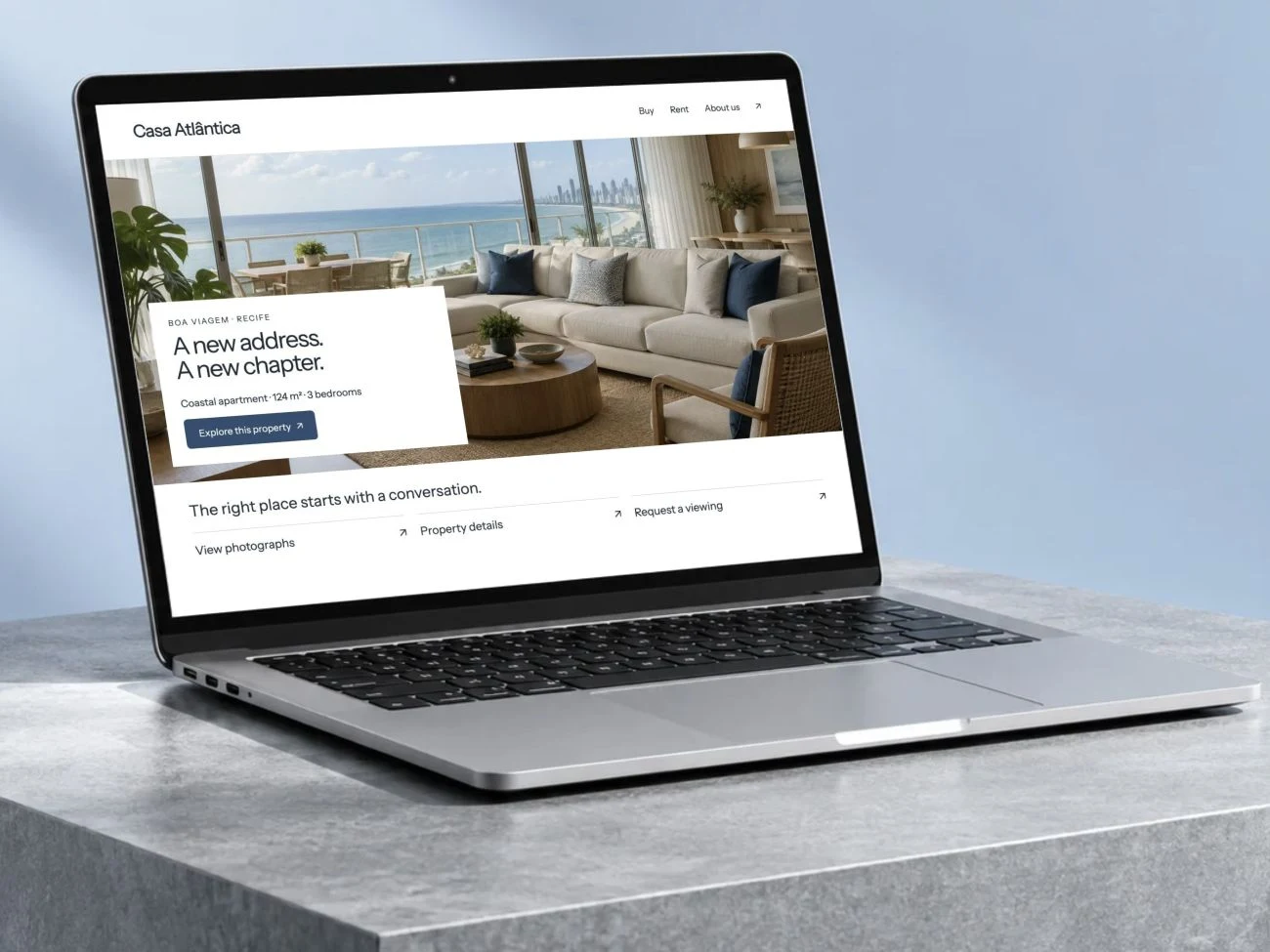
A business website explains your offer and directs visitors to the right next step.
A portal gives each customer access to their own requests, files and status.
Internal tools bring queues, records and staff actions into a purpose-built interface.
Present your services, show relevant work and make it easy to send an enquiry. Build a responsive website that connects the visitor’s next action to your operation.
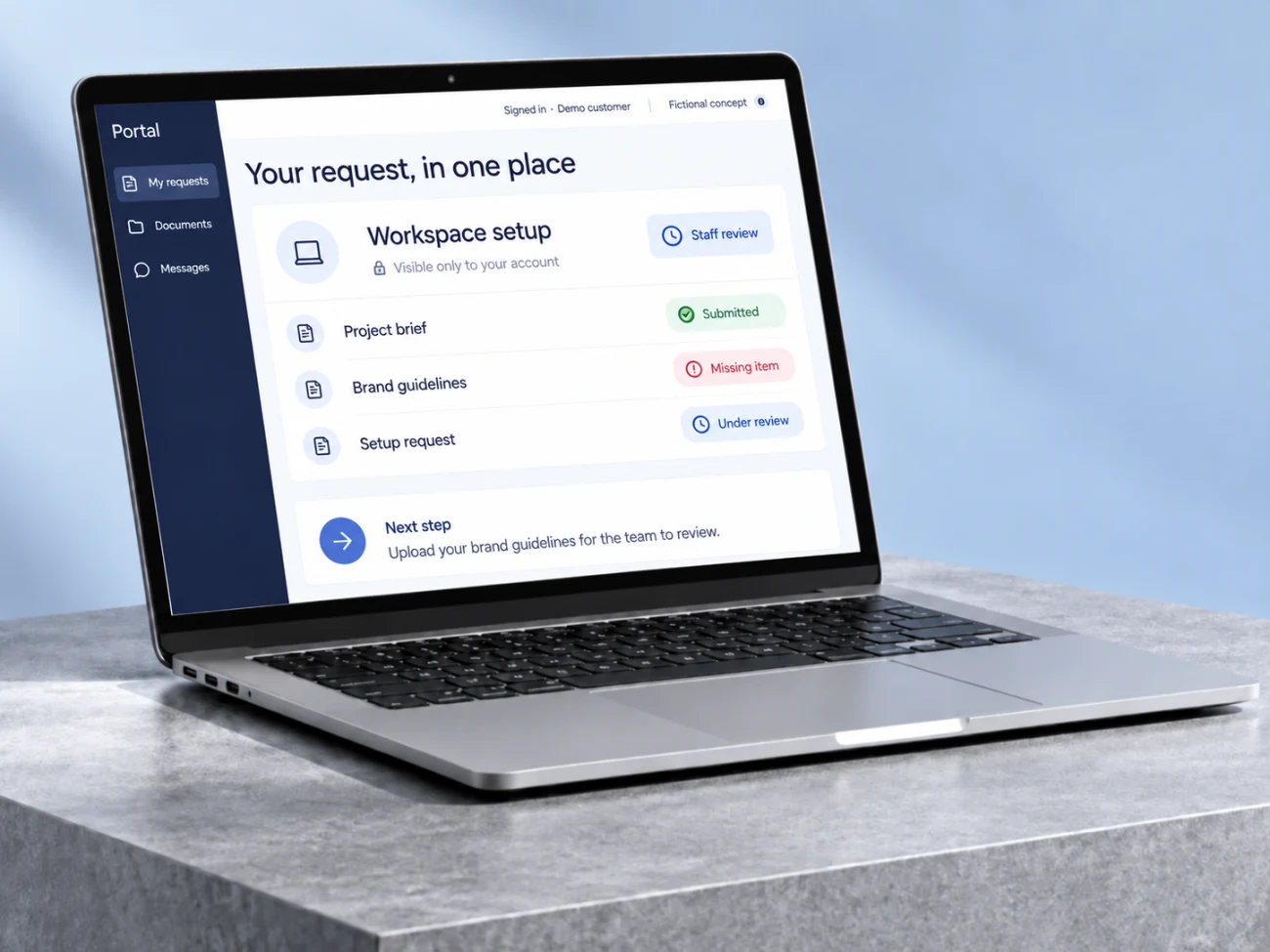
Create a secure place for customers to submit information, share documents and follow the status of an agreed process. Give staff the context needed to keep it moving.
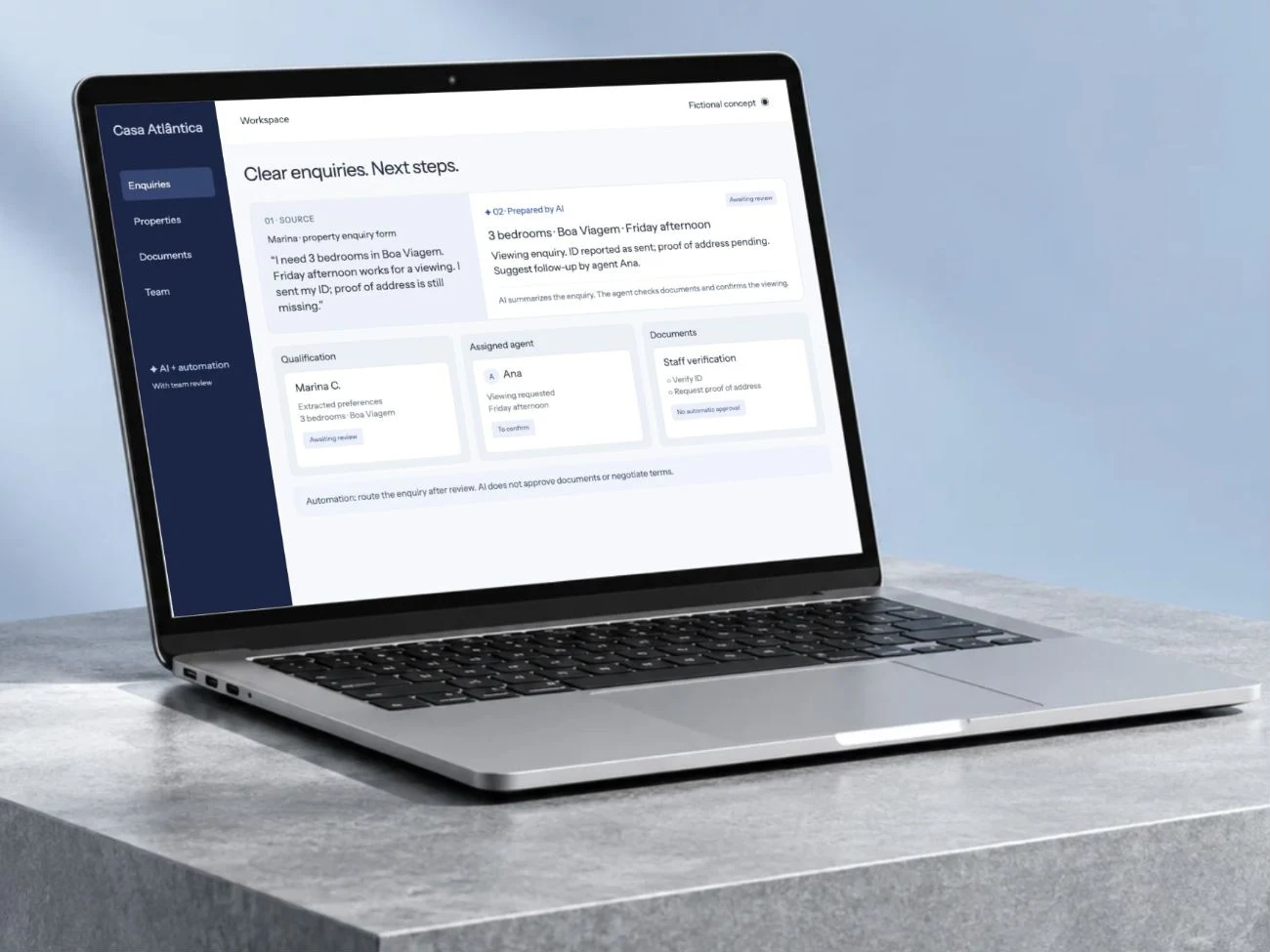
Replace a scattered operational routine with a focused tool for requests, records and actions. Give each person a clear view of their responsibilities and the next step.
A website serves visitors. A portal serves identified customers. An internal tool serves your team.
Define the records, permissions and actions for one useful workflow before adding more screens.
Map inputs, owners, tools and the result your team needs to receive.
Validate the main path, permissions, exceptions and human handover against agreed examples.
Receive the agreed implementation, operating notes and acceptance checks reviewed together.
Let’s understand where work repeats and design a workflow that helps your team.
Bring an example of the task, the tools you use and what you would like to improve.
Let’s discuss your projectWe discuss the result you need and define the next step.
Leave an email or WhatsApp number and I answer you myself. It is optional and it books nothing.